
If that sounds familiar, you are not in trouble yet. But an ageing on-site phone system is now a real risk, and the sensible move is to plan the switch before the system forces your hand.
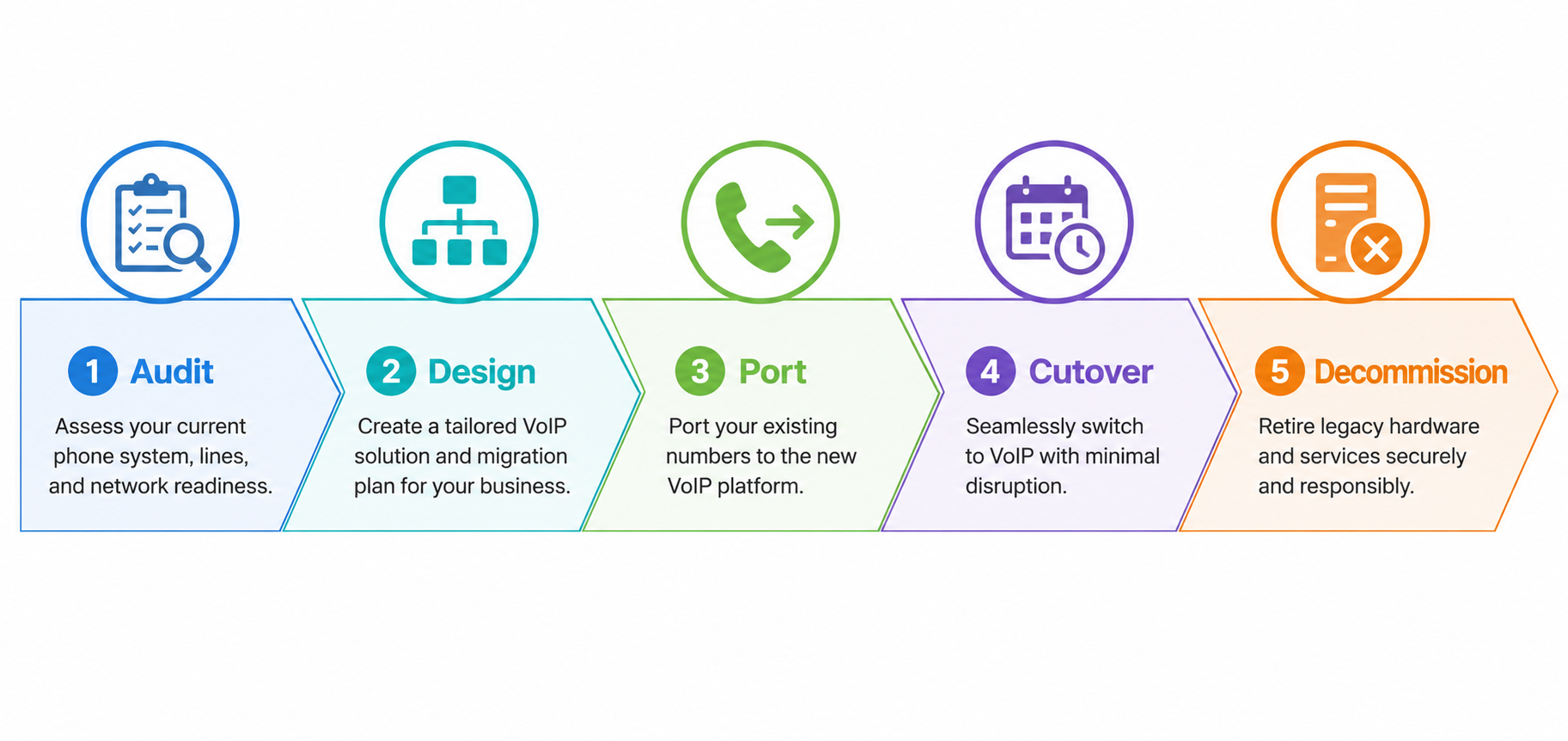
You do not need to panic, but you do need a plan. Old on-site phone systems like Avaya IP Office and Panasonic PBX are now a genuine risk. The copper network many of them ran on has been switched off, spare parts have dried up, and the makers have stopped making them and are winding down support. Replacing an old phone system is straightforward when you do it in the right order: check what you have, design the new system, move your numbers across, run both in parallel, then switch over. Done properly, you keep your phone numbers and you keep working through the change.
A PBX (private branch exchange) is the on-site box that runs your office phones and connects them to the outside line. For years these systems were reliable and cheap to keep going. Two things have changed that, and both are here now rather than coming.
First, the network underneath them has gone. Most old PBX systems were built to run on copper phone lines or on ISDN, a business phone service that carried several calls over one connection. As part of the NBN rollout, Telstra has switched off the copper phone network across most of Australia, and ISDN has been retired. The modern replacement is VoIP (voice over internet protocol), which carries your calls over your internet connection instead of a copper line. If your system still leans on the old network, you are either already on a workaround or living on borrowed time.
Second, the systems themselves are no longer made or fully supported. Panasonic announced in 2020 that it was leaving the business phone market, and stopped making its PBX systems and handsets a few years ago. That means no new parts, so a repair now depends on second-hand or refurbished stock. Avaya, the other common name in older offices, has been through major financial restructuring, and its older systems are reaching the end of support. Once the maker stops issuing updates, any system connected to your network also stops getting security fixes.
None of this means your system will die tomorrow. It means the safety net under it has gone, so a planned move now beats an emergency one later.
Migrating just means moving off the old on-site box to a modern system. You have two broad choices. A hosted system runs in the cloud, managed off-site, with your handsets or apps connecting over the internet. An on-premise system keeps a box on-site, but a modern one that runs on your network rather than a copper line.
Which one suits you depends on your size, your internet, and how much control you want to keep in-house. That decision deserves its own space, so we have set out the full hosted-versus-on-premise comparison separately. For most small and medium businesses replacing an ageing PBX, a hosted system is the simpler path, but it is worth reading both sides before you commit.
Yes. In almost every case you keep your existing phone numbers when you replace an old phone system. The process is called number porting, which means moving your current numbers from the old service to the new one. Your new provider handles it for you, and it is a normal, everyday part of any switch.
There is one thing to watch. Porting takes time, and it runs on the old carrier's schedule, not yours. That is why you never cancel the old service until the new numbers are live and tested. More on that in the traps below.
Some of it can be reused, some cannot. It depends on what you have and what you move to.
Handsets are the clearest case. Old proprietary Panasonic or Avaya handsets are tied to their own system and will not work on a modern one, so they usually get replaced. The upside is that modern systems do not always need desk phones at all. A softphone (an app that turns a computer or mobile into an office phone) can cover some or all of your staff, which can cut the number of physical handsets you buy.
Cabling is more of a mixed bag. If your office was wired with network cabling in reasonable condition, a lot of it can carry the new system. If it was set up years ago for phones only, or it has been patched and added to over time, some of it may need redoing. This is the part people underestimate most, which is why the new system should be planned around the cabling you have, not the cabling you assume you have.
| Stage | What happens |
|---|---|
| 1. Audit | Someone reviews your current setup: how many users and lines you have, which numbers, the state of your cabling, and any special needs like fax, back-to-base alarms or lift phones. |
| 2. Design | The new system is mapped out: hosted or on-premise, how many desk handsets versus softphones, call flow and voicemail, and what internet you need to run it well. |
| 3. Port the numbers | Your existing numbers are lodged for porting to the new service. This step starts early, because it runs on the old carrier's timeline, not yours. |
| 4. Parallel run and cutover | The new system is built and tested while the old one keeps running. When everything checks out, calls are switched across, usually with little or no downtime. |
| 5. Decommission | Once the new system is proven, the old hardware is switched off and removed. |
A planned migration is low-drama, but a few things catch businesses out. Watch for these.
The honest answer is that it depends, and any provider who quotes a firm price before seeing your setup is guessing. Cost turns on a few things: how many users you have, whether you go hosted or on-premise, how many desk phones versus softphones you need, and how much cabling work the site needs.
Hosted systems are usually billed as a monthly per-user fee, which spreads the cost and keeps it predictable. On-premise systems carry more upfront but less each month. We have set out the pricing in detail separately, including how a 3CX system is licensed, so you can see the actual numbers rather than a vague range.
No, not always. Many migrations run the old and new systems side by side for a short period, so you move across in a controlled way rather than all in one hit. A full cutover on a set date is also an option. The right approach depends on your size and how much risk you want to carry on the day.
Usually not, or only very briefly. Because the new system is built and tested while the old one keeps running, the actual switch-over is quick and planned. The main risk to service is porting numbers too early or cancelling the old line before the new one is proven, which good planning avoids.
Almost never. Old proprietary handsets are locked to their own system and will not work on a modern one. The trade-off is that you often need fewer physical handsets, because softphone apps can cover staff who do not need a desk phone.
It varies, but number porting is usually the longest single step, and it can run from a few days to a few weeks. The build and testing can happen in parallel while porting is underway. A small office can be done quickly; a multi-site business takes longer to plan and stage.
ISDN (integrated services digital network) was a business phone service that carried several calls over one connection, and many older PBX systems relied on it. Telstra stopped selling it in 2018 and has retired it as part of the wider copper network switch-off. So yes, it has gone, which is one of the main reasons older systems now need replacing.
Both, and the mix matters. Much of a modern system can be set up and managed remotely, but a legacy switch always has a physical side: someone needs to check the cabling, the patch panel and the handsets in person. A provider who can do both remote and on-site work is worth looking for when you are moving off old hardware.
You do not have to move today. But it is time to start planning if any of these are true:
Any one of those means your phones are running without a safety net. The good news is that the fix is calm when you plan it, and the first step is simple: have someone look at what you have.
To book a look at your current setup and map out the switch, call Sixfam on 03 9200 2800.
Designed & Developed by CJ Digital